Come Visit MakerBot @ MakerFaire Detroit!

Going to be in Detroit for MakerFaire this weekend?

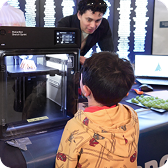
Make sure to drop in on software/hardware engineer guru Matt Mets and marketing manager/chief advocate of awesomeness Keith Ozar at the MakerBot Booth!

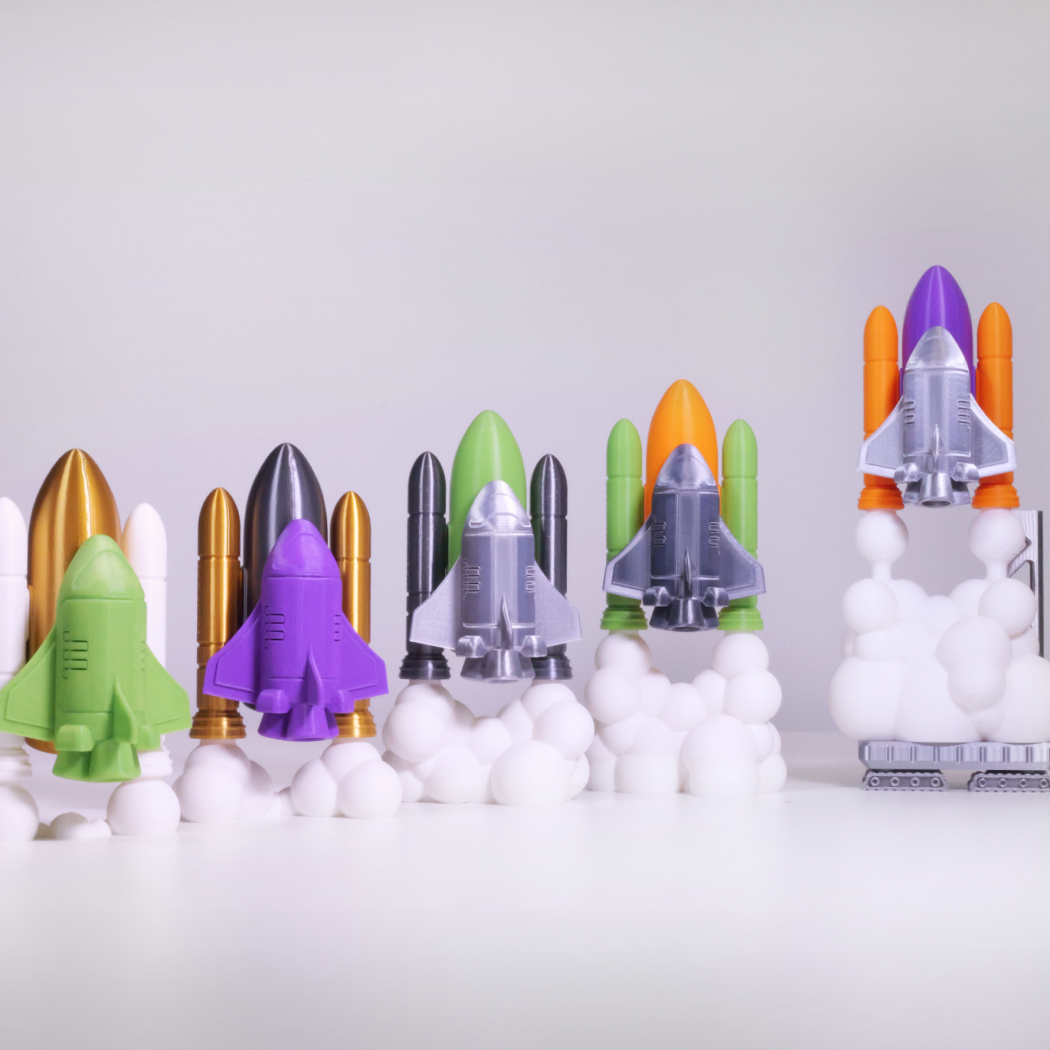
Matt and Keith will be printing out loads of great models on their mini-BotFarm, with a focus on sharing items created for MakerBot Space Month @ Thingiverse, including Tony Buser’s gorgeous Mars Rover.

They will also be giving a short 20min presentation about the MakerBot Universe that will interest veteran Operators and new audiences alike on the Make:Live stage on Sunday, July 31st @ 3:00pm.

MakerBot Zoetrope

Matt Mets will be bringing his brand new MakerBot Zoetrope project, DIY  turntable + light-strobe rig designed for zoetrope animations using objects printing on a MakerBot. Should the delicate models survive, look to see the Blender experimentation I have been doing for Matt, printing out poses of Big Buck Bunny from the open source blender files for that character!

Matt will be printing other animations (he’d really like a Nyan Cat if the Thingiverse modelers are listening) and experiments all weekend.

Here are the MakerFaire Detroit event details

Detroit, July 30 & 31
The Henry Ford
Saturday 9:30am – 6pm • Sunday 9:30am – 6pm

See things before they are Things!

Last year MakerFaire Detroit distinguished itself as a particularly fertile place for Hackerspace project launches and the truly cutting edge. A great place for innovators to get audiences revving before the monster audiences arriving to the East Coast for World MakerFaire NYC. So if you can make it there, you won’t be disappointed.

Tagged with , , , , , , , One comment
 

Design Challenge: Disc Shooter

Pew pew!

Pew pew!

I’ve been working on a printable open source snap-together disc shooter for a long time now.  I think it’s time I brought in some help.  :)   I’ve decided on my own Thingiverse challenge.  The chosen design will receive $50.00 from me via PayPal.  Here’s the low down:

Rules:

  • Design a printable, multiple capacity disc shooter that uses printed plastic, rubber bands, and, if you wish, up to one metal spring from a Pez dispenser
    • The discs should be 19mm in diameter and 2mm in thickness
    • The disc shooter should be tensioned by the trigger, rather than having to cock the shooter for each disc
  • Needs to be printable on a MakerBot Cupcake CNC or Thing-O-Matic
  • Needs to be posted to Thingiverse with an open license by 11:59PM on August 31
  • Tag your Thing with the word “pewpew”
  • Multiple entries allowed, so go wild

The entries will be judged using the following criteria:

  • Number of Likes on Thingiverse
  • Number of times it has been made by someone else (so post your ideas early!)
  • Printability (not just fitting it in the space but also how many separate prints are required)
  • Effort put into documentation and design (based on testing and revisions)
  • Bonus points for:
    • A snap-together design
    • Parametric design in OpenSCAD
    • Use of a removable magazine for holding discs
    • Easy-to-pull trigger
    • Uploading STL’s for printing plates

If you need some inspiration here are some links:

Good luck!  I can’t wait to have a big pile of multi-colored disc shooters!

Also, squirrels in space.

Tagged with , , 7 comments
 

Life-Sized, 3d-printable sword!

Sword of Omens

The thing about this Thingiverse item is that the whole 1980s cartoon aspect (Thundercats, no less) actually detracts from the fact that this is a life-sized 3d-printable sword.  Yes, that’s right: I said a life-sized 3d-printable sword.

That’s pretty epic, and we all need to tip our caps to cyclone for his imagination and dedication.  Well done, and I suspect that this may not be the last of its type.  I’m sure that there will be a number of dirks, daggers, katanas, and shivs before we know it.  But will any of them be better than this charmer?  The gauntlet has been thrown.

And be careful out there, folks: it’s all fun and games until somebody puts an eye out, as my grandmother might say.

I decided to make a version of the sword from the 80's cartoon. As an exercise for using sketchup and for a present for a friend's birthday. Just in time for the impending "event" (T-cats reboot), this Friday. I spent a lot of time on the model. I started with a few models from 3dwarehouse. None were very good for printing, or scaled well for actually holding. All of them relied on textures for details that wouldn't show up after printing. Initially the model came out too small. Then it didn't fit the hand well. Once it was sized and shaped correctly I had to work out how it could be chopped up to fit my build envelope. The latest version has location holes to help line up parts and glue together. It seems that the blade has benefited greatly from the interior channel. Even without the filament the blade is stronger. I'm working on another version with an insert for the eye and an insertion slot for the blade. So that the whole sword can be printed by colors: grip, blade, eye, jewel. Finished sword is about 45 inches (1145mm) from pommel to tip. Oh and time for print @ 30mm/s min layer time of 20 secs: 6x blade pieces 5 hours blade tip 1.75 hours (cool min layer makes it take a long time) eye holder 2.5 hours 2x grip pieces 2.75 hours pommel pieces 2 hours total about 14 hours Please let me know if there are any issues. I'm aware that looking through the hilt only gives you the "Sight of Regular Seeing." Working on that. ------------------ Update V2: Added an update eye holder piece, with an insertion hole for the blade, the blade can be printed (in an optional extra color) and sanded/cleaned/finished then inserted into the holder. The insertion point's clearance hasn't been tested, but should be close. Might need sanding cleaning for the blade to fit. Also the new holder has inserts for the eye and cat emblem, which can be printed in two colors using the whole pause and swap method when it first starts printing the upper portion. This is also not printed yet but should be good. I'll print these and repport back later today. So for this, obviously instead of eye-holder.stl you'd use eye-holderV2 and the inserts. One of each or two of the same one. Switching to work in progress. ------------------ Update V3: Found a small geometry problem in the eye holder as well as the fact that the thin ring (around the eye/cat image) was too thin to print nicely so changes to the inserts as well. Apologies if this print is too tall, I looked up the build envelope for a stock cupcake and fixed the model to stay under the published height of 130mm but if you have trouble with that use the V3 eye holder and the new shorter blade pieces. Removed the original eye holder to reduce confusion. Any combined print can be exported from the sketchup. ------------------ Update V4: Added the center channel for using threaded rod or double ended threaded studs. The hole is a 3mm and can be drilled out to a larger dim if need be. I've left the other registration holes for those that prefer to use that. Also reversed the extrusion on the cat-insert to get around skeinforge's refusal to fill thin features. Prints *much* nicer. If you've already printed one, this one is a big improvement (see photo).
This thing brought to you by Thingiverse.com
Tagged with , , 2 comments
 

Special Friend: Laurie Anderson

Laurie Anderson

We recently had the honor of scanning the amazing Laurie Anderson.  If you’re not familiar with her work, it’s mesmerizing stuff and you should really run out and get a few copies of her newest album, Homeland, as well as her 1982 classic Big Science.

Laurie is also a long-time maker; she’s made a number of experimental musical instruments over the years, including the famous tape-bow violin. Her work has always pushed the limits of technology, especially when it comes to manipulating the human voice, something she’s mastered to great dramatic effect.

It’s a real honor to host her likeness on Thingiverse; I plan to print out her bust and set it right next to my audio workstation as a source of inspiration.  I suspect I won’t be the only one to do so.

en.wikipedia.org/wiki/Laurie_anderson
This thing brought to you by Thingiverse.com

Read the rest of this entry »

Tagged with , , Leave a comment
 

Ancient Inspiration for Modern Robots

Karakuri is the ancient Japanese practice of creating incredibly intricate automata using weights, pulleys, and wires.  The video above features some of these robots rowing boats, shooting arrows, turning somersaults, and practicing calligraphy.  Think back to the amusement park rides of the 1960′s – with the exception of a recorded song, those little robots were also completely operated by weights, pulleys, and wires too.

The amazing thing about 3D printing is it enables everyone to create works every bit as intricate and complicated as these little robots.  Now anyone can focus on purpose and design rather than technique.  If a handcrafted robot can select an arrow, draw it back on a bowstring, and fire accurately at a target – there’s no reason you couldn’t do the same thing using 3D printed plastic parts too.  The real question isn’t whether we could reproduce these kinds of actions using 3D printed parts, but rather what could we create with printed parts that would have been difficult or even impossible using these ancient means?

Via Make

Tagged with , , , , , , , , Leave a comment
 

CUBE -The 3D printed 3D printer by Webca

CUBE -The 3D printed 3D printer by Webca

CUBE -The 3D printed 3D printer by Webca

Thingiverse champion Webca has done it again.  First he printed an entire Cupcake CNC on his Cupcake CNC.  Now, he’s used that printed printer to print another printer.  His creation has a much larger build area, linear bearings, custom heated build platform, used more than 15 pounds of plastic, cost around $3,000.00 (which I’m sure does not include his time) and eight months of printing.  Webca suggests this might be the largest multi-print to date.  He’s got me convinced.

Here’s a video of it in action:

YouTube Preview Image
Tagged with , , , , 5 comments
 

Finally – Octocat by BrianEnigma

Octocat!

The raw materials have been there for some time, but,  until now, no one has put them together to create an Octocat!

Listen folks — we love GitHub.  We do.  We have some repositories where we store files and such, and it’s awesome.  But we’re still not sure if it really lives up to its mascot; that’s a high bar to set for yourself, folks.  And I think that BrianEnigma just pushed it a bit higher with this mashup.

But seriously — cheers to GitHub for having such a cool service and mascot, and to BrianEnigma and all of our Thingiverse thing-mashers for all their great work.

Octocat is watching you check in your source code. Based on the popularity of the octopus model here on Thingiverse and the popularity of GitHub among programmers, I figured I would try making a creepy version of GitHub's octocat. This model is a frankenstein mashup between Bucket o' Octopi thingiverse.com/thing:7900 and The Cat thingiverse.com/thing:1283 Change Log: Version 2 of this model is the latest and fixes the flat areas found in version 1. Version 1 of this model has a couple of flat areas in the cat's head. This is entirely due to my Blender skills and a big mistake that occurred early in the process, but wasn't caught until late. It's not noticeable at MakerBot resolutions, but if you were to print this on a fancy professional printer, I'd wait until the next version. There's also a minor problem with the cat's chin being just a bit too much of an overhang for a MakerBot to handle perfectly, but it still looks good after you cut away some of the slop/drool.
This thing brought to you by Thingiverse.com
Tagged with , , One comment
 

MakerBot Open Teacher Workshop- Register Now!


Are you a teacher or educator interested in bringing a MakerBot into the classroom? During this 4 hour session you will be introduced to 3-D printing with the MakerBot Thing-o-Matic. We’ll walk you step-by-step through the process of creating a 3-D computer model and preparing it for printing with the MakerBot. You will be given an overview of various 3-D modelling software tools that are available for free online. In addition, you will be shown a set of lesson plans that you can use with your students over the course of a semester. No prior knowledge of 3-D modelling or 3-D printing is required. Please bring a laptop computer to the workshop.

When: Saturday, August 6th, 2011, 12PM – 4PM
Where: Bot Farm, 314 Dean Street, Brooklyn
Cost: Free! (You must also email a brief statement describing your work with young people).

Only 15 slots are available, so sign up as soon as possible! You can register
via Eventbrite.

Tagged with , , 4 comments
 

Zoom H1 Holder for Camcorder/DSLR by PeterZbinden

OMG AUDIO MACHINE HOLDER!

This is another pretty cool item for the DIY-oriented photo/videographer.  A nice plastic thingy to hold your audio recorder  to your camera!

PeterZBinden mentions the popular Zoom H1, but this should really work with just about anything that has a tripod-type screw mount; since you supply the screw it should work with a large number of devices, audio and other.  Second camera for portrait-mode 3d?  (You don’t see enough flat panels mounted in portrait.)

Good job and keep the awesome camera stuff coming!

This is a simple Holder which I made to use my Zoom H1 Reccorder with my Camcorder (Panasonic SD707) and my DSLR (Canon 500D). It simply uses the Flashlight-mount on both of these cameras to be attached. The H1 has a standard screw-tread which can be found on almost any tripod, so you could use this very holder to attach other things than just the H1... (you might want to get crazy and attach a second camera to your SLR :D) The Position of the mic does not interfer with the 35mm Viewangle of the camcorder, there might be a problem if you intend to use a wideangle-adapter. To reccord i simply attach the Linout of the H1 to the LineIn on my camcorder. For the DSLR, I simply lay the Audio over the Video after reccording as the 500D unfortunatly does not have a LineIn (Only Mono-Sound *eeeek*). The soundquality with the H1 is way better as the mic is able to reccord uncompressed 24bit 96khz .wav files.
This thing brought to you by Thingiverse.com
Tagged with , One comment
 

Thingiverse Publishing Checklist

Oops! I wasn't ready to publish!

There has been a lot of discussion of late over at the Thingiverse Google Group and elsewhere about best practices for publishing Things, and whether a longer list of requirements for publishing would be helpful or harmful. Well, after considering feedback and use cases for a few months, the Thingiverse web dev team (ie Marty!) introduced the Thingiverse Publishing Checklist to help guide users into uploading and annotating their materials before launching their projects.

Here’s what you need to publish:

  • Does your project have a name?  (“Untitled” doesn’t count!)
  • Does it have a description?
  • Have you included at least one file which is not an image?

The checklist tool helps prevent users from publishing too early (accidentally!) as well as encouraging new designers to participate in the community by sharing more useful design, cut, or print documents beyond just that final bragging snapshot. While it is tricky to stimulate communities by forcing standards, we feel this list has been whittled down to be the absolute minimum obstacle to publishing possible, while still doing its job keeping Thingiverse great!

Tagged with , , 3 comments